Before, During and After the Hike
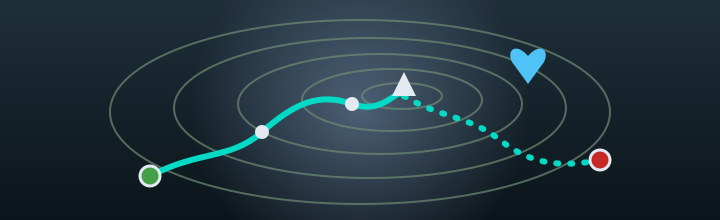

Plan a hike on a real topographic map, build the route trail by trail with honest timing for the climbs, and carry it on your phone where there's no signal. Afterwards, log the hike and relive it on the map with the photos you took along the way. The AI runs on your own computer, and your hikes, tracks and photos never leave it.
Regions ship inside the app — the White Mountains, Adirondack High Peaks, Great Smoky Mountains, Grand Canyon, Yellowstone, Grand Teton, Joshua Tree and more — with shaded relief, contours and every named trail, peak, spring, shelter and trailhead from OpenStreetMap.
Click along the map and the route follows the trails between junctions. Build loops, out-and-backs and traverses, and watch the distance, climb and elevation profile update as you go.
Estimates use the classic hiking pace rules — Naismith, Tobler and Langmuir — adjusted for steep descents, pack weight, rough ground, altitude and your fitness, with split times for each section.
Not sure where to go? A short guided interview — who's coming, how far, how much climbing, loop or not, dogs or kids — ends in ranked route suggestions for the region you picked.
Search for a parking lot, trailhead or summit, choose Start Hike Here, and add the trails segment by segment as you turn onto them — the quickest way to record a hike you already walked.
Hiking somewhere else? Download a region on demand. The trails, terrain and map detail are fetched once, checked, and stored on your computer for good.
Scan a QR code at home and the region and your routes open on your phone — no app store, no account. Cache them before you leave, and the phone keeps working with zero bars at the trailhead.
The trail network and your routes are stored on the phone. The map, your position and the route all work with no cell reception at all.
Found mud, ice or a closure when you got there? Tap to avoid muddy, icy, overgrown or closed trails, and the options are re-worked on the spot, offline.
Record your GPS track as you walk, with a warning if you stray off the trail. Back on your home Wi-Fi, one tap syncs the hike to your computer.
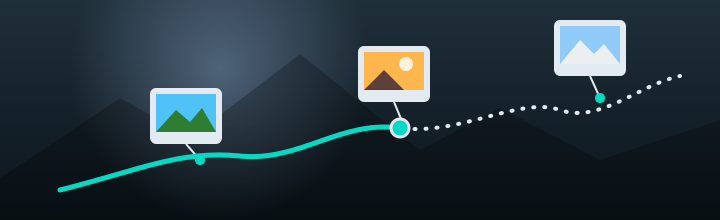
Click I Hiked This Trail and Aegis Hiker finds the photos you took along the way and places each one at its spot on the trail.
Geotagged photos from Aegis Photo Voyager are matched to your route by place and time, then shown at their mile and elevation. Review them and leave out the ones you don't want — your photo files are never changed.
Watch the hike play back across the terrain, with the elevation profile following along and your photos popping up where you took them. Note who came along and the weather on the day.
Create a small website of the hike: a summary, the replay, a photo gallery and an interactive map. Optionally password-protect it — the photos are encrypted, too — and upload it to your own web space.
A planner, not a guarantee. Trails close, conditions change and maps are only as good as their sources. Carry the ten essentials, check local conditions, and leave your plan with someone at home — Aegis Hiker can print a leave-behind sheet with your route and turnaround time for exactly that.
Where you hike, when, and with whom is nobody else's business. Hikes, tracks and photos live in a SQLite file on your computer, and the AI trail guide runs locally through Ollama.
No sign-up, no cloud sync, no analytics. The internet is used only when you ask: downloading a new region, looking up the weather for a logged hike, or uploading a hike website.
Every feature, no charge and no license key. Your phone talks to your computer directly over your own Wi-Fi, never through a relay.
Aegis Hiker is in Beta and free to use. On Linux you can install it in one command:

Prefer a traditional package? A Debian/Ubuntu .deb is on the download page.
The trail brainstormer and AI trail guide need Ollama and a local model. The default model runs on an 8 GB laptop without a GPU:
No Ollama? Maps, route composing, timing, the phone companion, photo matching and the replay all work without it, and route suggestions fall back to built-in rules.
Go to DownloadNote on licensing: Aegis Hiker is free to download and use during the Beta, with every feature available. After the Beta, some features may require a one-time license purchase — pay once, never a subscription. The software is proprietary and licensed, not sold.