See Aegis Backup in Action
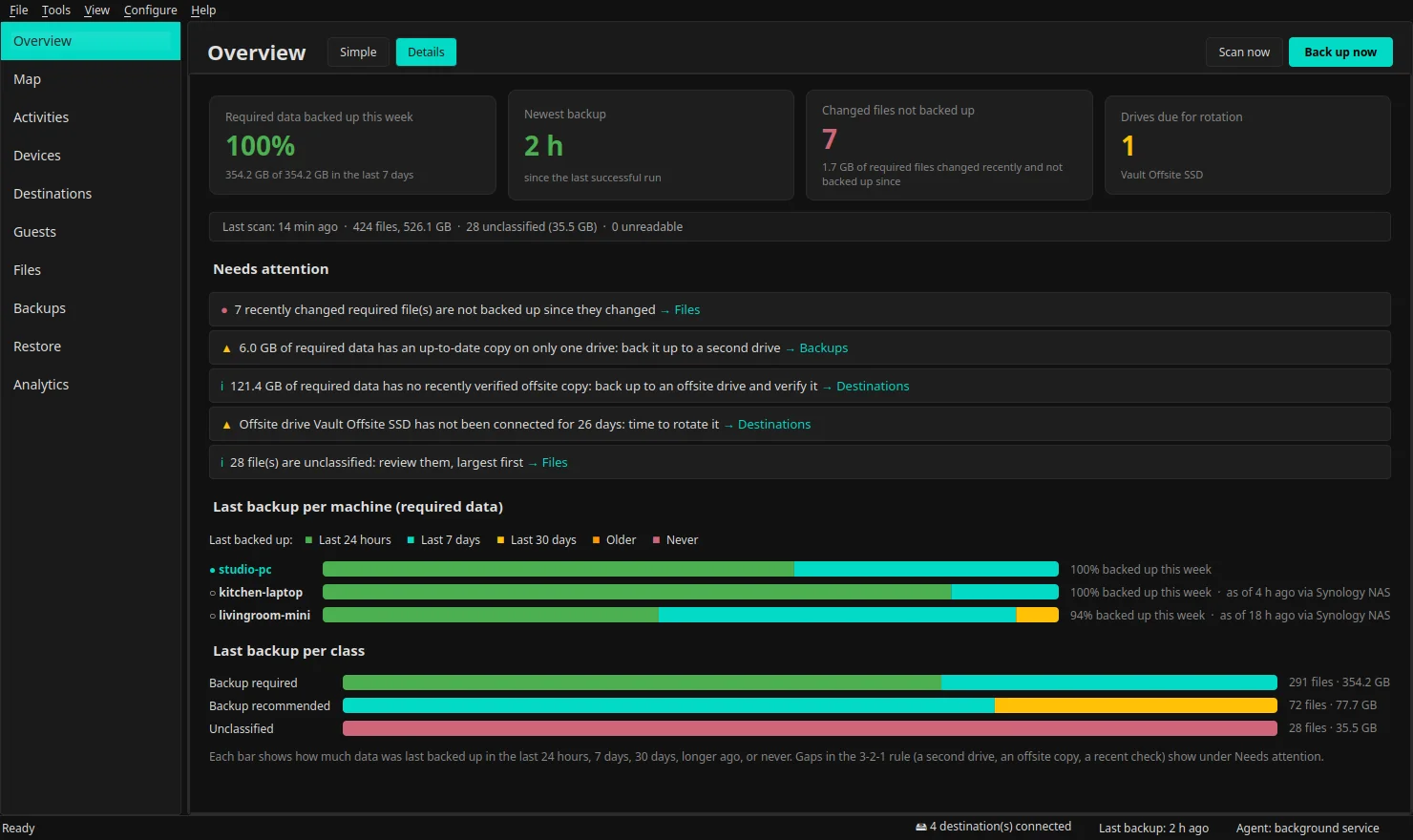
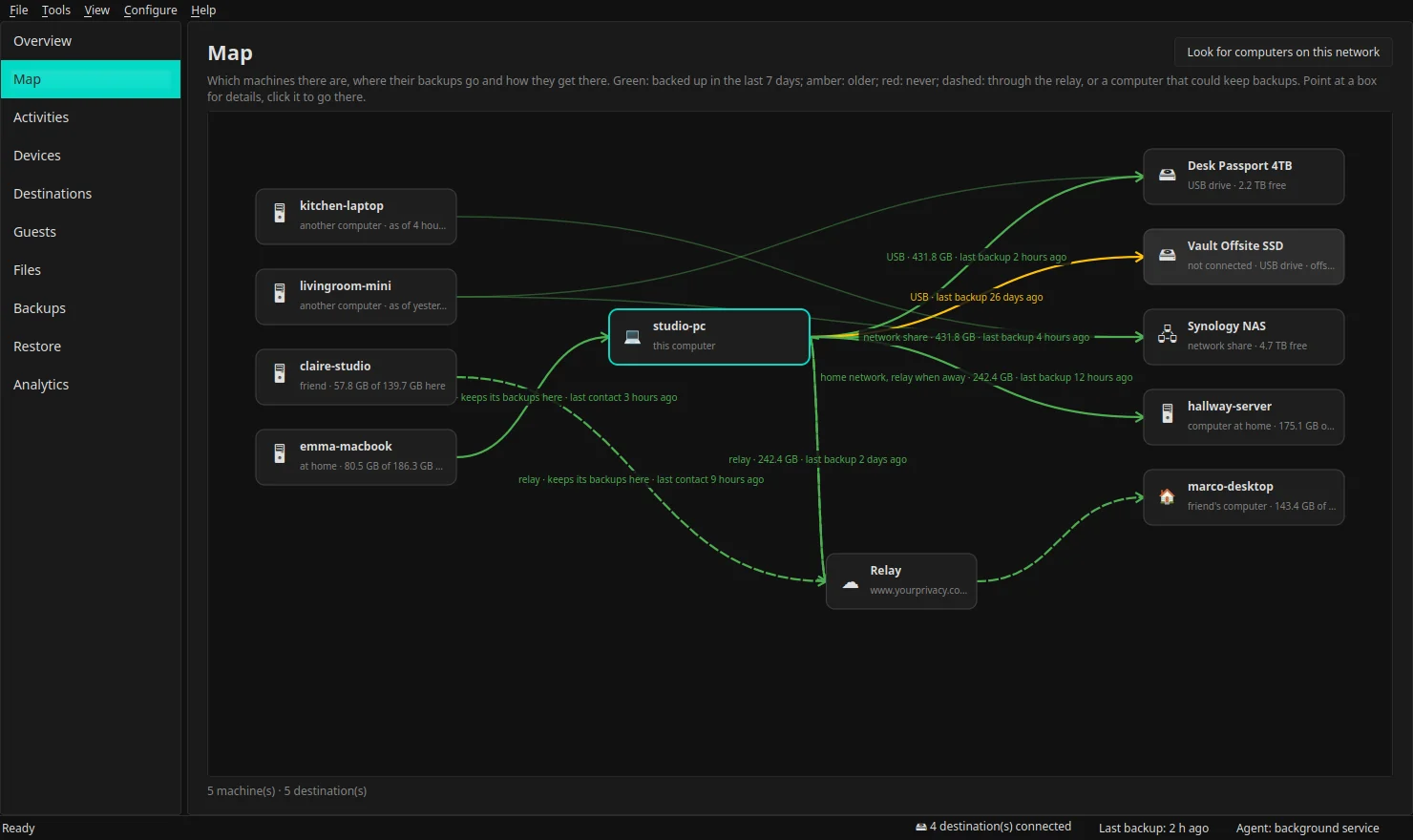
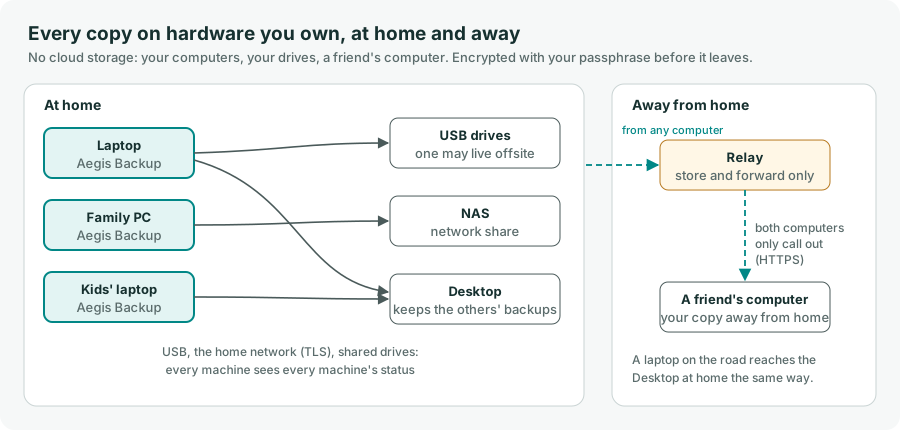
Back up every computer in your home or small office to your own USB drives, your NAS and your other computers, including a friend's as the copy away from home. One screen tells you whether your important files are safe, and if not, what to fix. Everything is encrypted on your computer before it leaves, and no copy ever sits in a cloud.
A good backup means three copies, on two different devices, one of them away from home. A household already has what that takes: computers, a couple of USB drives, maybe a NAS, and a friend or relative with a computer in another house. Aegis Backup runs on every computer, knows which of its files matter, backs them up on a schedule and checks the copies, with no cloud storage and no storage fees.
The simple view answers in one line whether your important files are safe, how much is covered and when each destination last got a copy. Details shows the alerts in plain words: data on only one drive, no recent offsite copy, an offsite drive due for rotation.
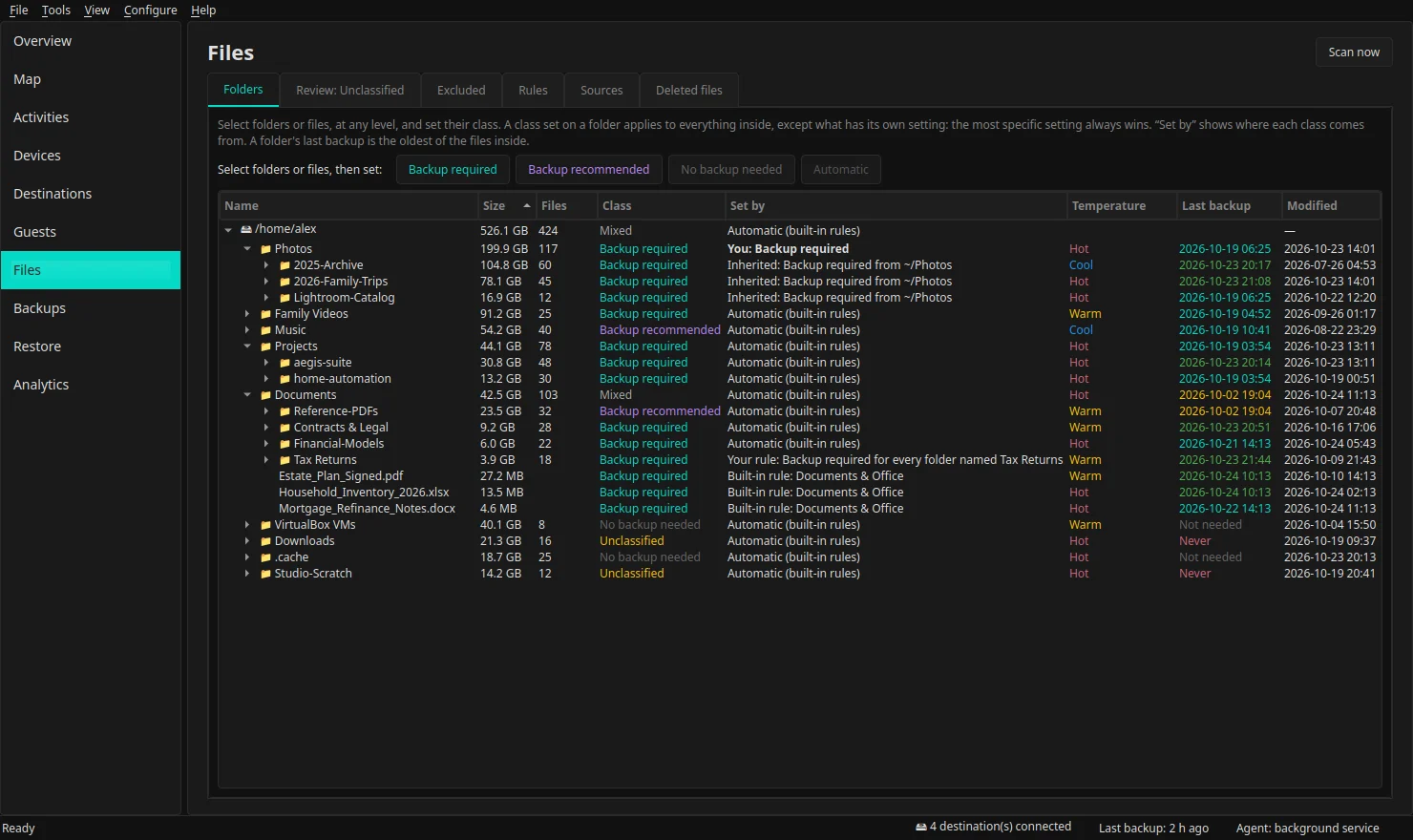
Every file is classed as Backup required, Backup recommended or No backup needed by editable rules. Anything unmatched goes to a review list, largest first. Change a folder with a right-click; nothing is guessed silently.
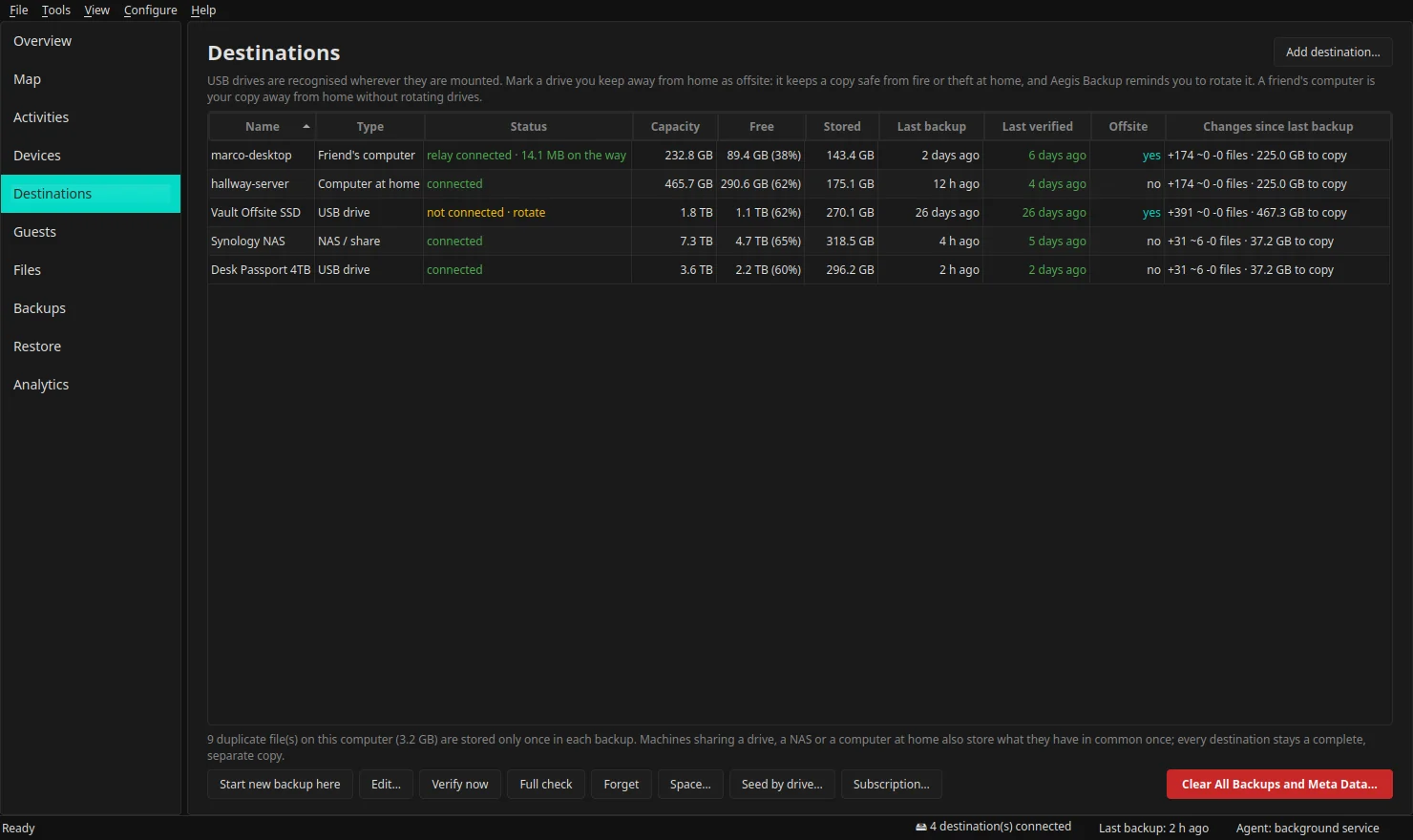
Backup plans link folders to USB drives and NAS shares, hourly, daily, weekly or whenever a drive is plugged in. Drives are recognised wherever they are mounted, and every machine that sees a drive shows the status of the whole household.
A second computer at home keeps backups over your own network. A friend's computer becomes your offsite copy, and a laptop keeps backing up while you travel. The first big copy can go by USB drive.
Browse any snapshot by machine, date and folder, or search by name. Restore to the original place or to a new folder; newer files on disk are never overwritten without asking. Copy another computer's folders onto this one and keep them up to date.
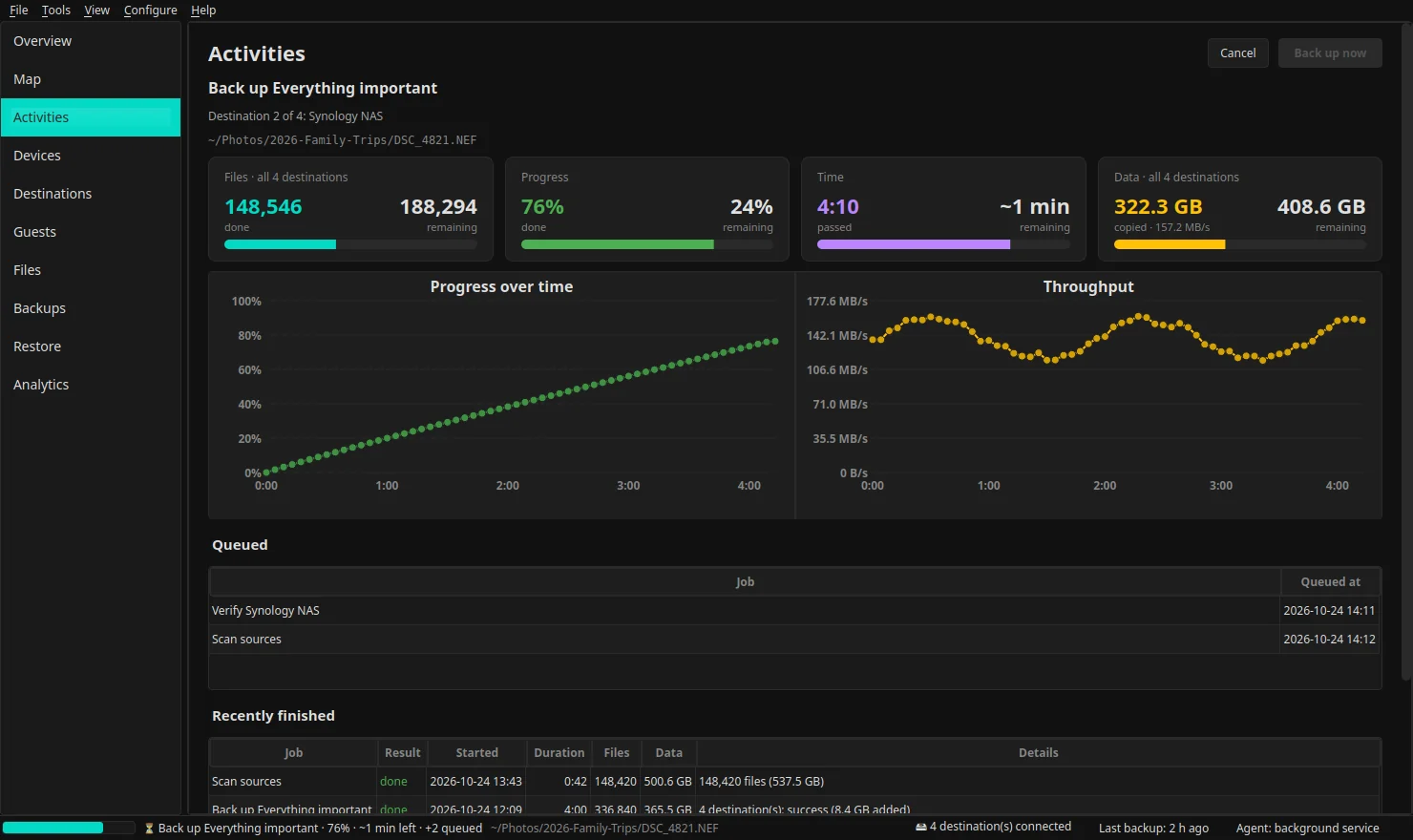
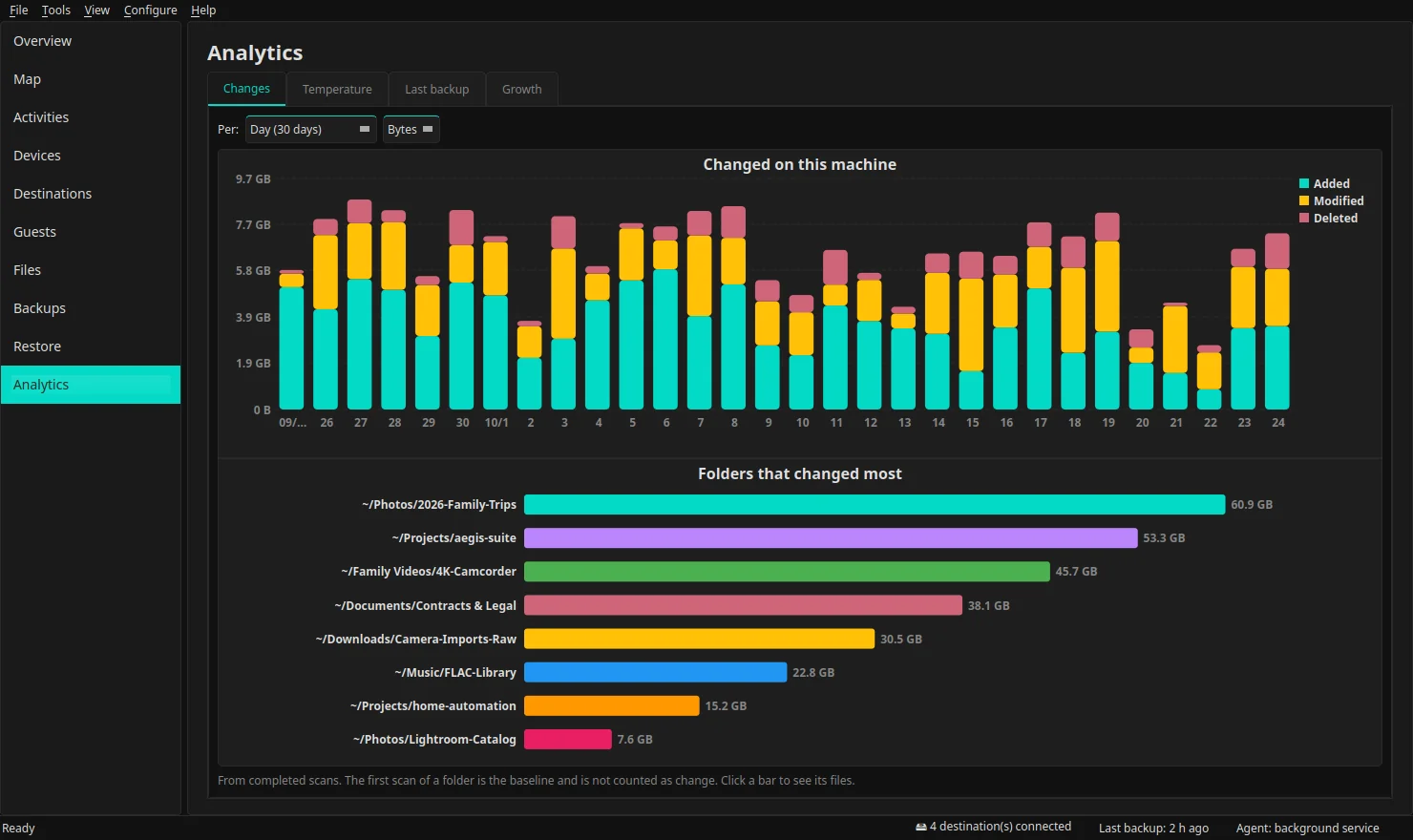
Changes per day, week and month, file temperature, last backup by class, folder and machine, and a capacity forecast per destination. Click any chart to list its files. A live view shows the running backup with progress, time remaining and throughput.
Carrying a drive to another house every few weeks is the step most backups skip. Aegis Backup can use another computer instead, and your files are encrypted with your passphrase before they leave yours, so the other computer can never read them.
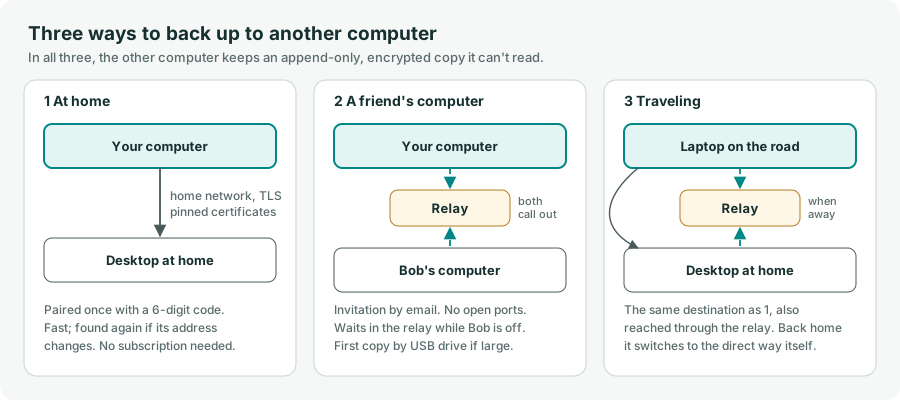
The two computers find each other on your network and pair by comparing a 6-digit code on both screens. After that they talk directly over TLS, each accepting only the other's certificate.
Neither computer opens a port: both call a relay that stores and forwards encrypted, signed pieces only until they are delivered. Your friend sets how much space you may use, and your most important files fill it first.
Copies on other computers are append-only. Deleting old snapshots waits for a clean-up window that opens days later, and a sudden mass deletion on your computer pauses every automatic removal until you confirm.
A run counts as a success only when every file was read. Otherwise it is reported as incomplete, and its report lists exactly which files were left out and why.
Connected destinations are checked regularly by re-reading stored data and comparing hashes. A full check re-reads everything.
Identical data is stored once per destination, also across the household's machines. Each destination stays a complete, separate copy, so losing one loses nothing.
No lock-in. Aegis Backup writes with the bundled restic engine in its open, documented format. If you ever stop using Aegis Backup, restic alone can list and restore every backup.
Copies live only on your drives and on computers you or people you trust own. With a passphrase, everything is encrypted (AES-256) on your computer, so a lost drive exposes nothing.
No sign-up and no tracking. Backups at home never leave your network. The optional AI Advisor runs on a local model and sees only backup statistics, never file contents.
Every feature, no charge and no license key. Restore is never limited, now or after the Beta: a missing license will never keep you from your own data.
Aegis Backup is in Beta and free to use. On Linux you can install it in one command:

To back up hidden folders such as ~/.ssh and ~/.config, use the
Debian/Ubuntu .deb from the download page instead.
Note on licensing: Aegis Backup is free to download and use during the Beta, with every feature available. After the Beta, some features will require a one-time license purchase — pay once, never a subscription. The software is proprietary and licensed, not sold.
Note on the relay: backing up to a friend's computer, or
to your home computer while you travel, goes through the relay at
www.yourprivacysw.com/aegisbackupapi. Its cost and the type of service (for example
a subscription or a one-time fee) are still to be decided. Backups to your drives, NAS and
computers on your home network will never need it. Tell us how you think the relay should work:
send us your feedback.